
Gusto Review
Full-service payroll and HR for US small businesses. Best for: US-based small businesses (1–100 employees), solo owners, and S corps.
Gusto is the most complete payroll and HR platform for US-based small businesses. It automatically handles federal, state, and local tax filing, bundles benefits administration (health, 401k, FSA/HSA), built-in compliance training (30+ courses), performance check-ins, and onboarding tools in one dashboard. Billing starts only after your first payroll run: no credit card required to get started. Plans from $49/month + $6/person. US employees only; global contractor payments are supported.
Our Verdict
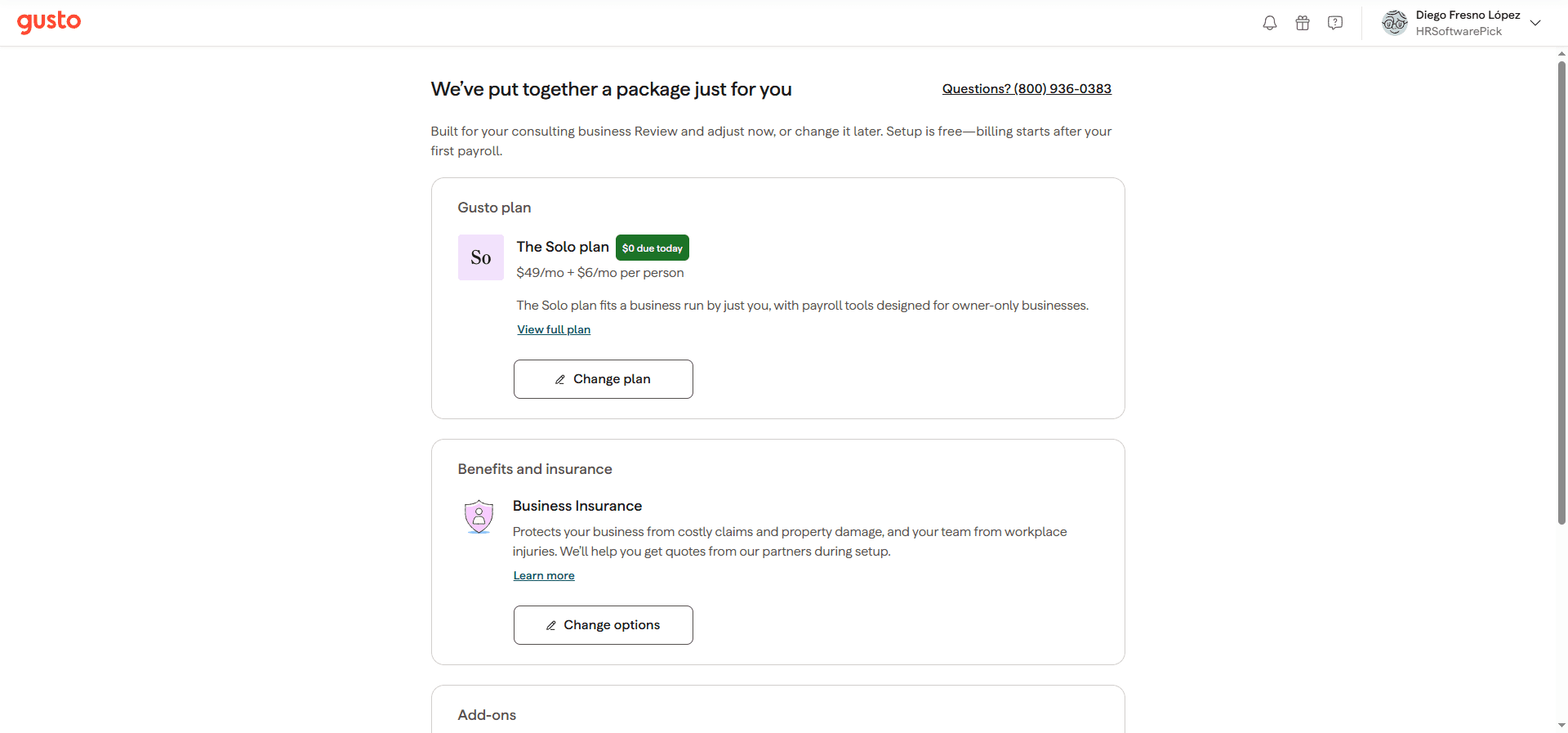
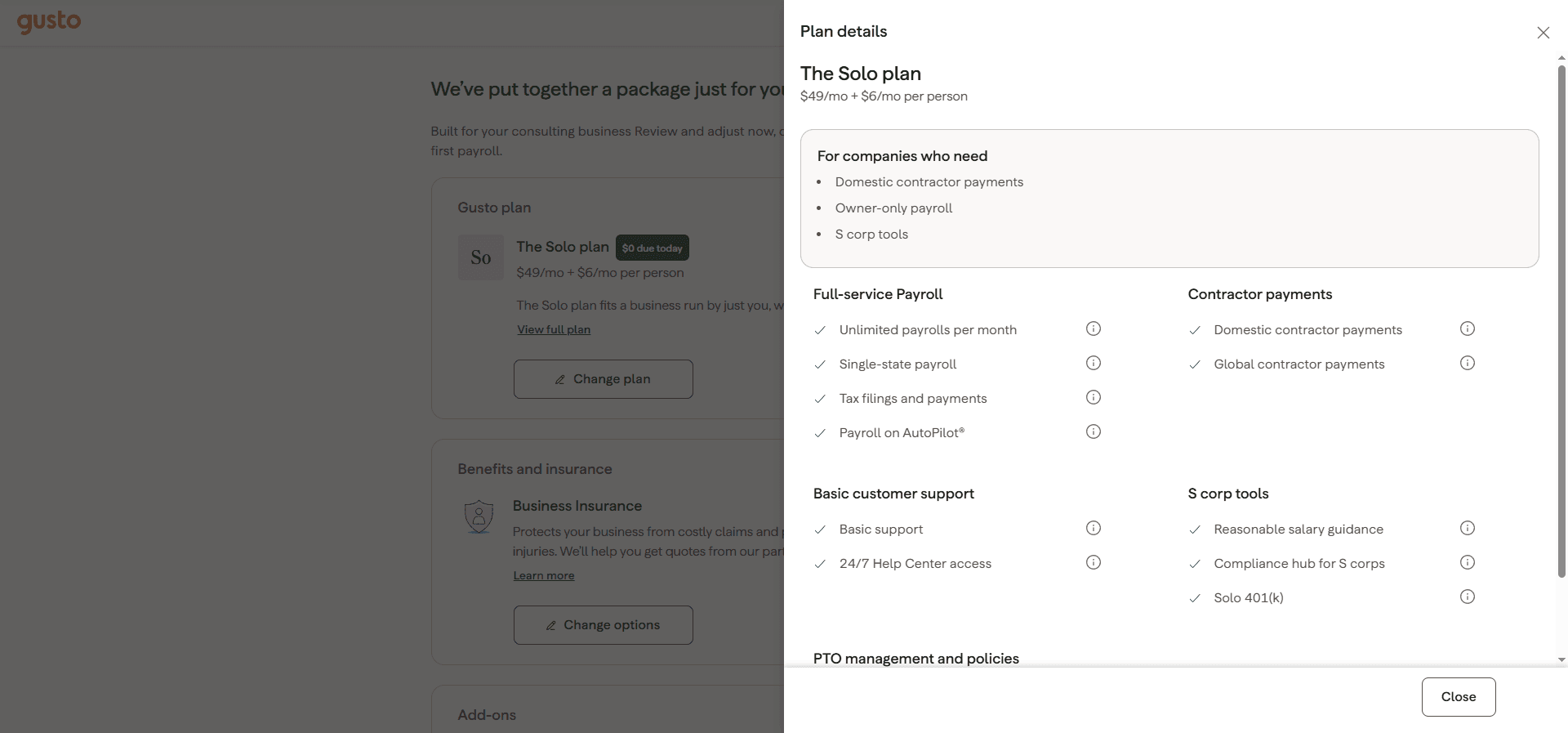
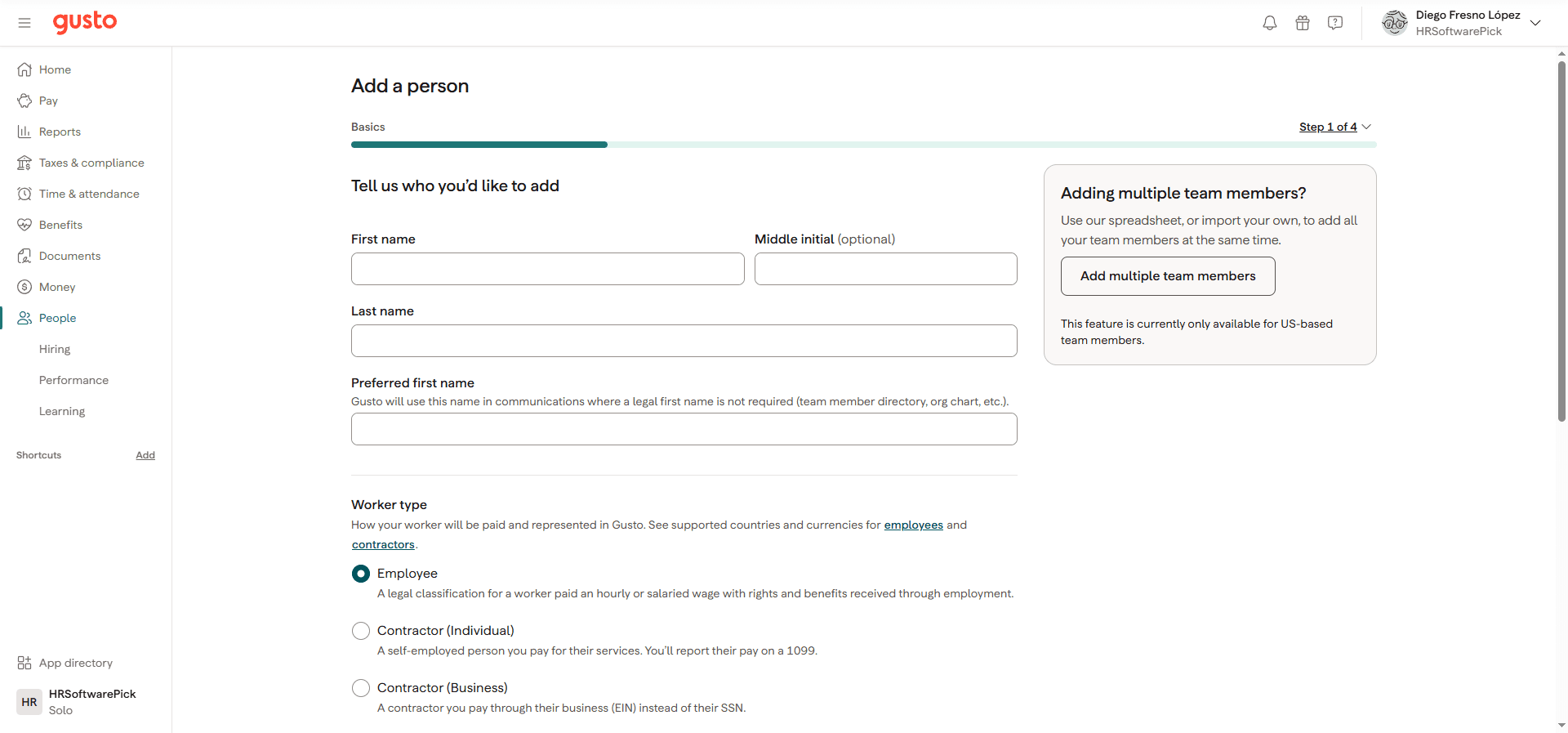
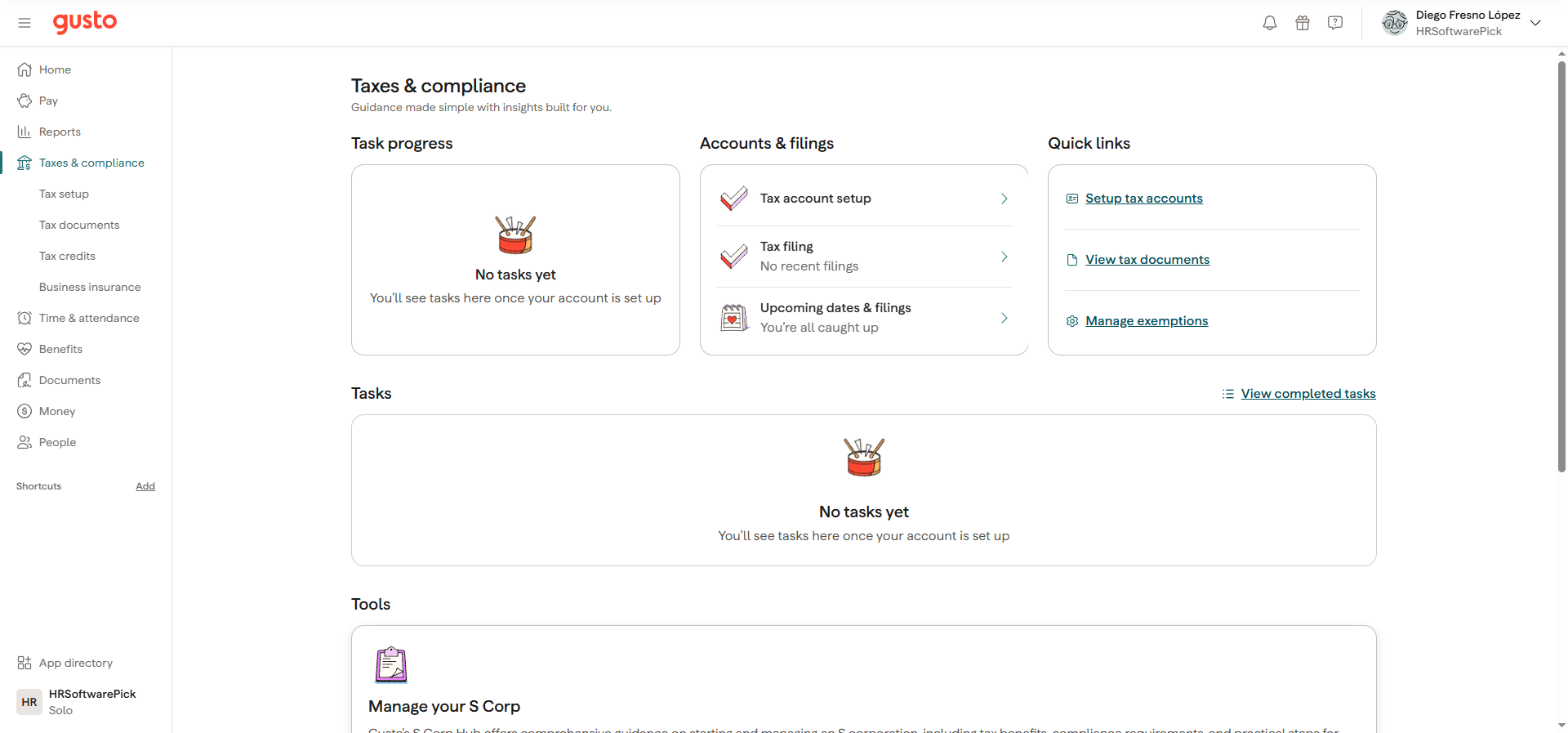
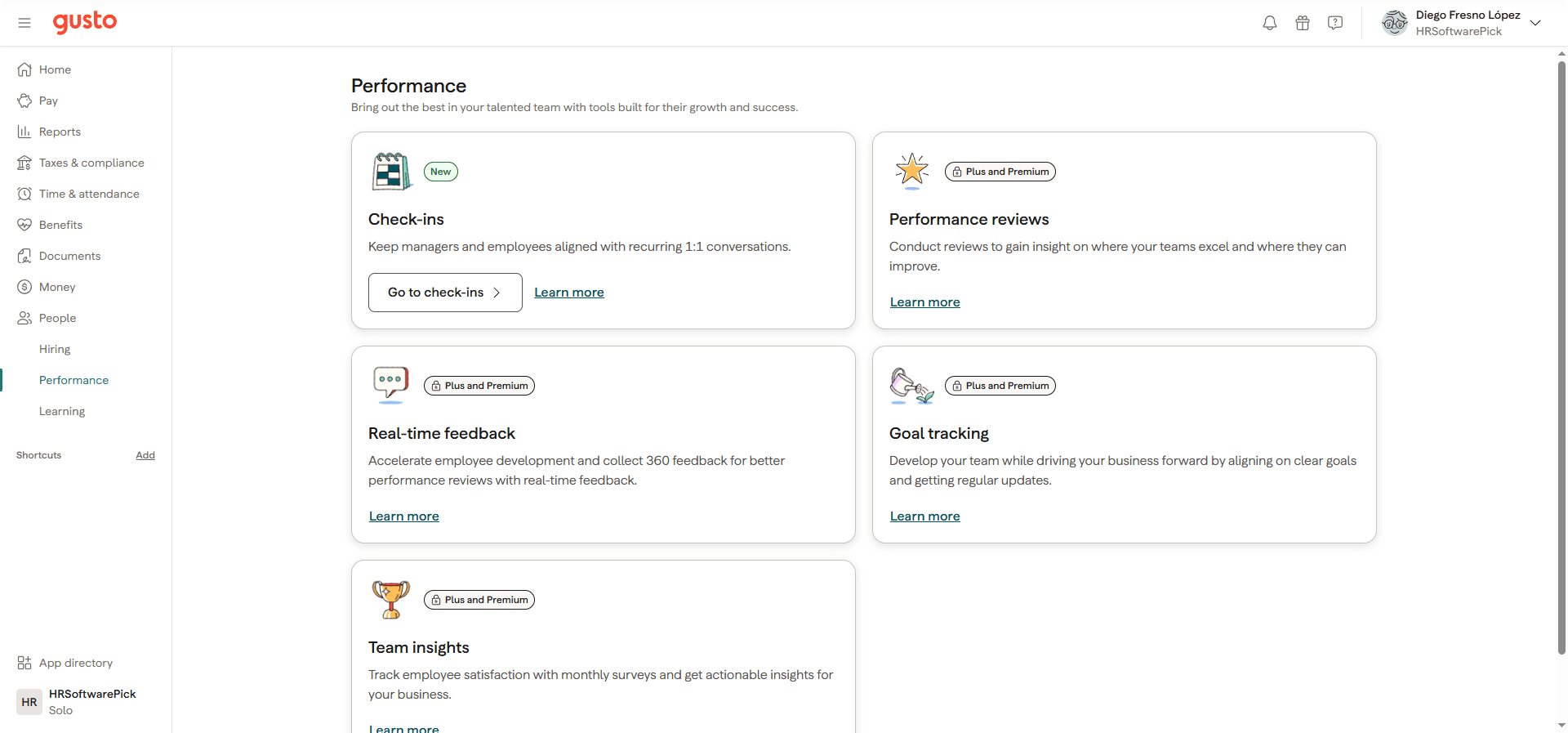
We signed up for a Gusto trial and used the product hands-on in September 2026. The onboarding took under 10 minutes: Gusto asks about your business structure, recommends the right plan based on your answers (it correctly flagged S corp tools for our LLC), and gets you into the dashboard immediately. What surprised us most is how complete the platform is at the $49/month tier. The Solo plan, which Gusto recommends for owner-only businesses, includes S corp reasonable-salary guidance, a compliance hub, and Solo 401(k): features that used to require expensive HR advisors or separate software. The dashboard is genuinely clean: the sidebar gives you one-click access to Pay, Reports, Taxes, Benefits, People, Documents, Learning, Performance, and 150+ integrations. Performance check-ins (1:1 recurring conversations) are free on all plans: something we did not expect and most competitors gate behind premium tiers. The main honest limitation: US employees only. If even one person on your team is abroad and you want to employ them legally, you need Deel or Rippling. For the US-focused business, Gusto is the clearest recommendation in the category.
Screenshots from Our Hands-On Test
Tested September 2026: all screenshots taken from an active trial account.
Score Breakdown
Pros & Cons
✓What We Like
- ✓Automatic federal, state, and local payroll tax filing: included in every plan
- ✓Billing starts only after your first payroll run: no time-limited trial pressure
- ✓Full benefits suite: health insurance broker in all 50 states, 401k, FSA, HSA, workers comp
- ✓S Corp Hub: reasonable salary guidance, compliance hub, and Solo 401(k) for LLC owners
- ✓30+ built-in compliance training courses (harassment prevention, HIPAA, GDPR, cybersecurity)
- ✓Performance check-ins (1:1 conversations) free on all plans: rivals charge extra
- ✓Global contractor payments included on Solo, Simple, Plus, and Premium plans
- ✓150+ integrations: QuickBooks, Xero, Slack, Google Workspace, Salesforce, Clover, FreshBooks
- ✓Unlimited payroll runs on all plans: no per-run fees
✗What We Don't Like
- ✗US employees only: no international payroll or Employer of Record capability
- ✗Performance reviews, goal tracking, and 360 feedback locked to Plus ($80/mo) and Premium
- ✗Per-person fee compounds quickly for teams over 50: run the math before committing
- ✗Time & Attendance requires a separate add-on ($6/person/month after free period ends)
- ✗No built-in ATS: recruiting requires integration with Greenhouse, BreezyHR, or similar
- ✗Customer support reportedly slower during January–March peak tax season
- ✗Next-day direct deposit is a paid add-on ($15/mo + $3/person), not included in Simple
Payroll
Gusto runs payroll in three steps: review, approve, submit. It then handles everything else: calculating federal, state, and local withholdings; filing payroll taxes on schedule; depositing pay directly to employee accounts; and sending payment notifications. All plans include unlimited payroll runs, so you can pay weekly, biweekly, or semimonthly at no extra charge. Multi-state payroll is fully supported: Gusto automatically applies the correct tax rules for each employee's work location, including California's more complex overtime laws. At year-end, W-2s for employees and 1099-NECs for contractors are generated and e-filed automatically, included in the base price. The Payroll on AutoPilot feature (available on Solo and Simple) runs payroll automatically on a fixed schedule without manual approval: useful for owners who pay the same amount each period. One upgrade note: next-day direct deposit is a paid add-on at $15/month + $3/person (or available from Plus plan pricing). Standard direct deposit takes 2–4 business days.
Benefits Administration
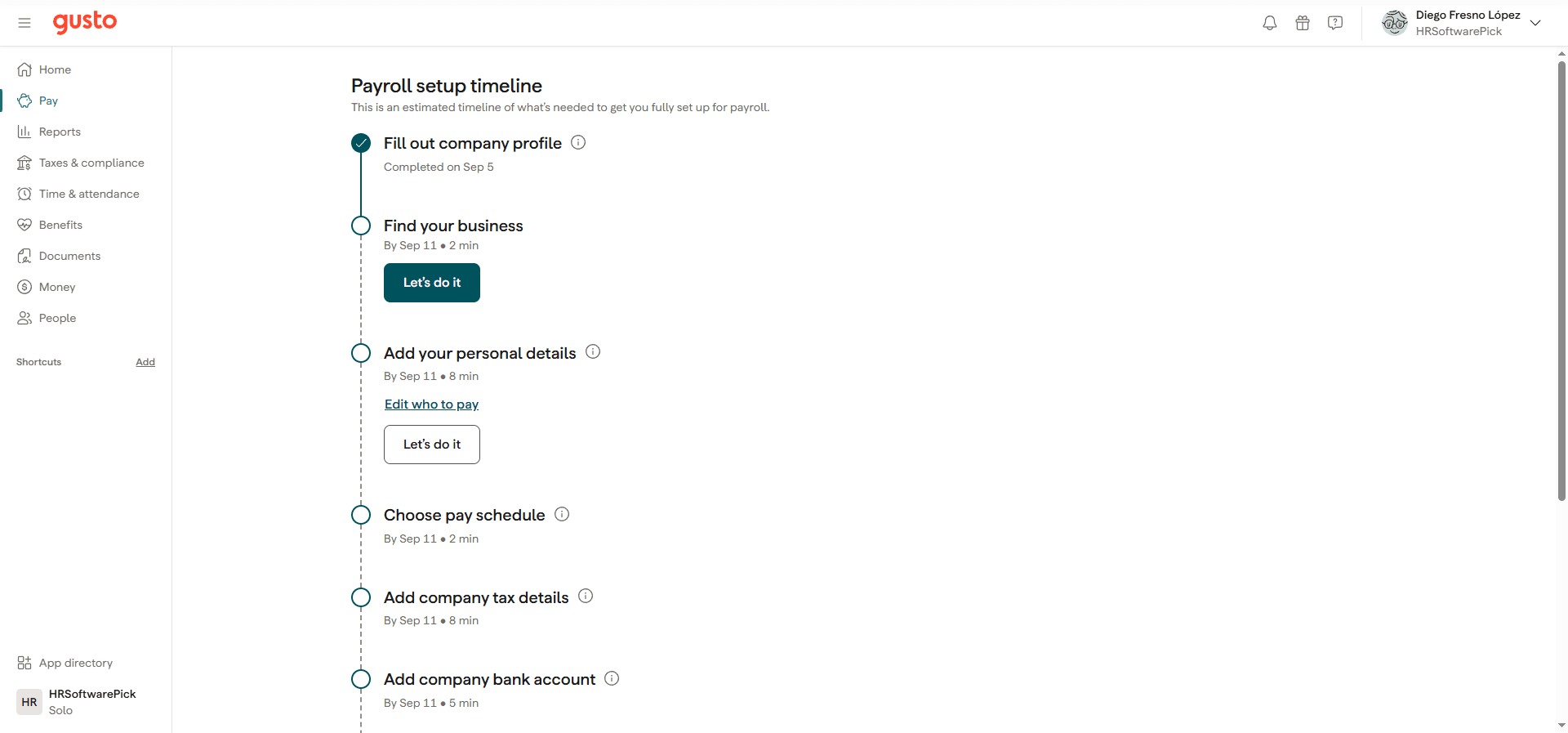
Gusto's benefits administration goes well beyond payroll deduction tracking. The platform acts as a licensed health insurance broker in all 50 states, meaning you can shop for, enroll in, and administer medical, dental, and vision plans directly inside Gusto: no separate broker needed. Gusto's benefits library covers five health benefit types (including Health Allowance powered by Thatch, which lets you give employees a fixed dollar amount to buy their own plans), nine financial health options (Solo 401(k), Simple IRA, Gusto Wallet, and more), two transportation benefits (commuter and company car), and six custom benefits (gym reimbursement, cell phone, charity matching, and more). The 401(k) integration with Guideline is seamlessly embedded: contributions deduct automatically from every payroll run with no manual calculation. For small businesses that have never offered benefits, Gusto's guided setup is significantly less intimidating than working with a traditional broker. Workers comp insurance is also available through Gusto's pay-as-you-go program.
Hiring and Onboarding
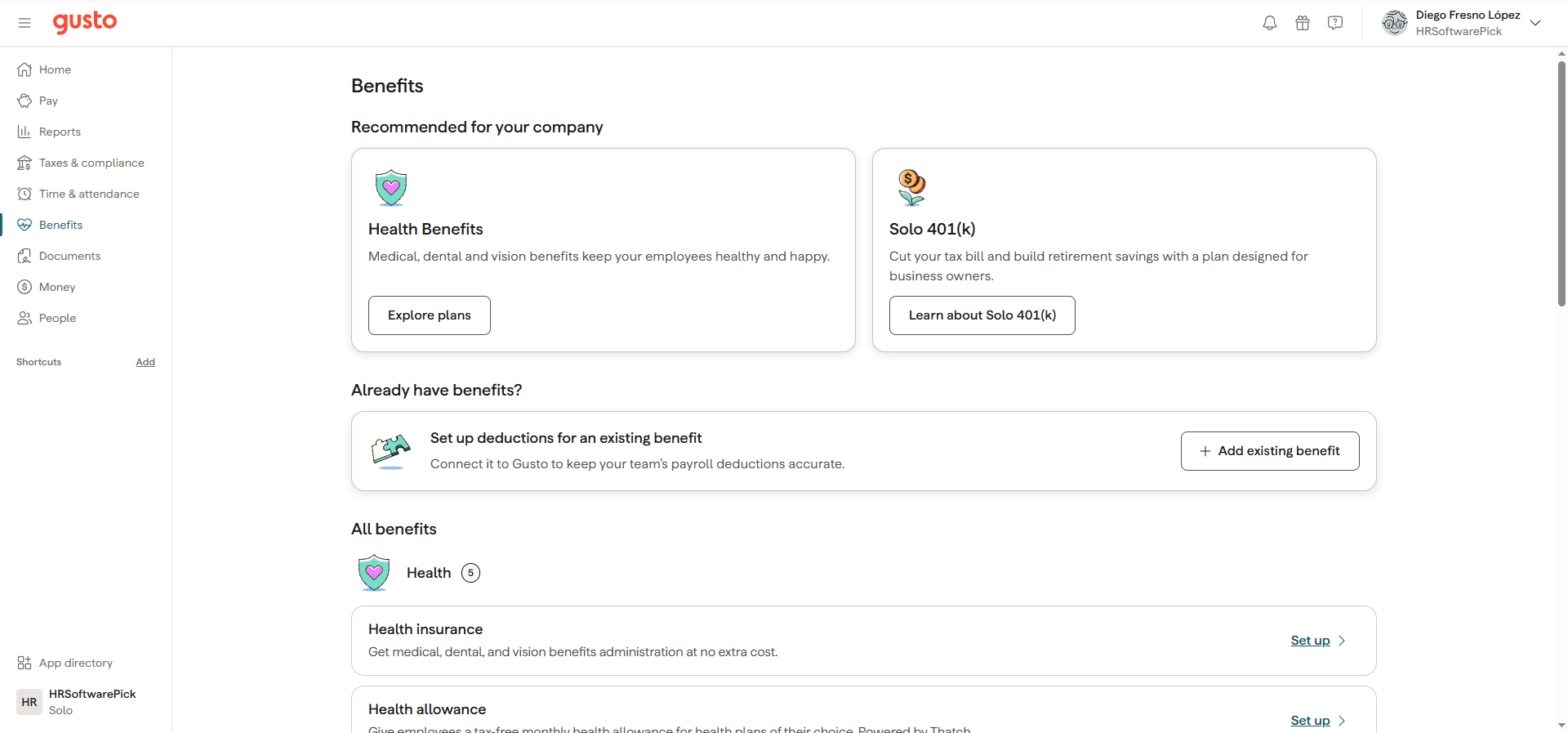
The Hiring section is a self-contained recruiting toolkit inside Gusto. Offers and agreements gives you pre-built offer letter templates that you customize and send digitally: new hires e-sign and return without printing a single page. Background checks are available directly in the app through a Checkr integration, so you can run and review checks without leaving Gusto. Compensation tools pull from Gusto's payroll data to estimate fair salary ranges for new roles. Onboarding checklists let you assign tasks to new employees before their start date and save templates for future hires. Once someone accepts an offer, they complete their own onboarding workflow: personal details, direct deposit bank account, W-4 tax withholding, and document e-signing. Gusto handles I-9 verification, state new-hire reporting, and contractor W-9 collection automatically. One limitation: Gusto has no native applicant tracking system. For job posting and pipeline management you need to connect a third-party ATS like BreezyHR (available in the Gusto app directory with 25% off) or Greenhouse.
Performance Management
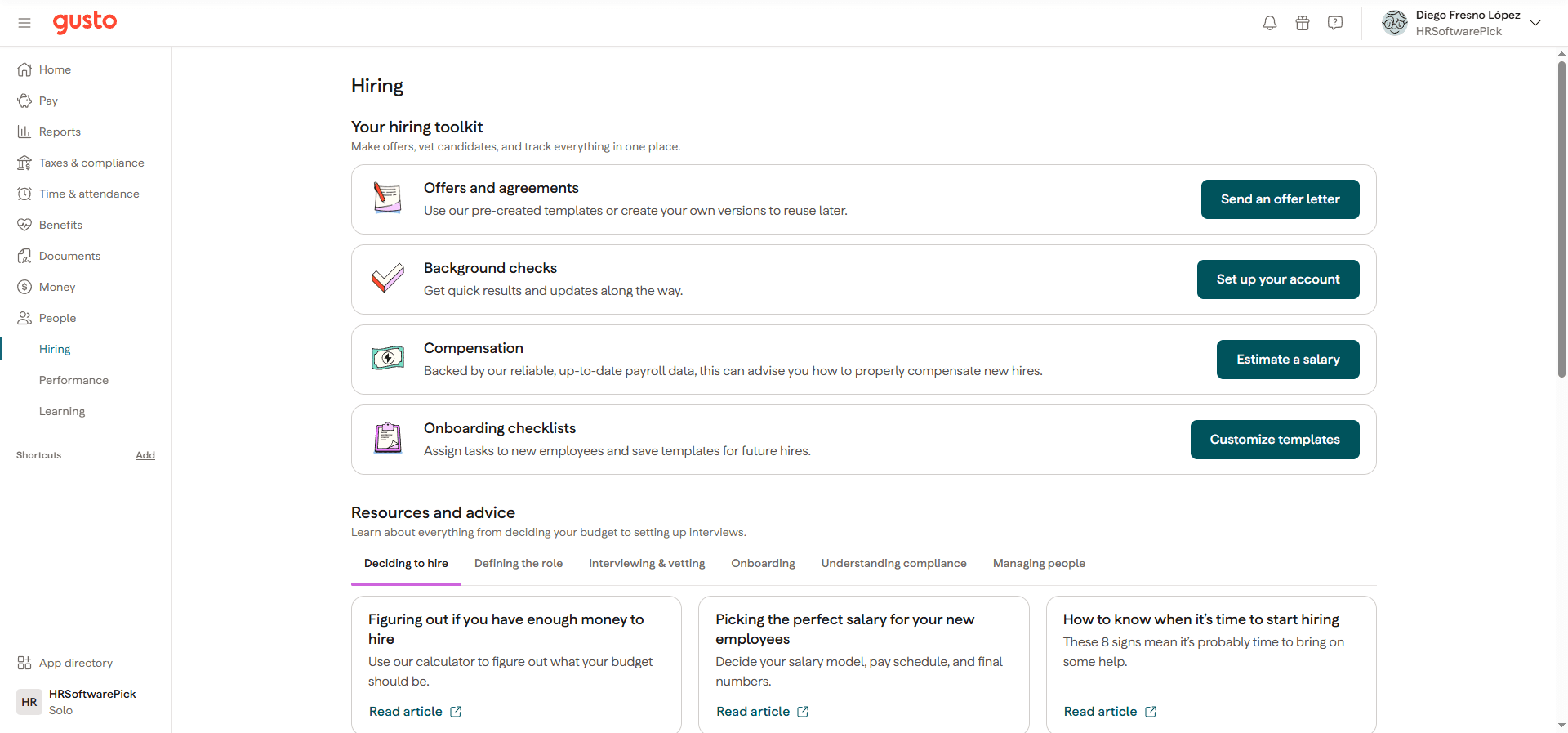
Gusto added a Performance section to the platform that covers five tools. Check-ins: marked as new and available on all plans: enable recurring 1:1 conversations between managers and employees, keeping them aligned with regular structured discussions. This is genuinely uncommon at the $49/month tier: most competitors (Rippling, Lattice, BambooHR) gate even basic 1:1 tooling behind higher-priced plans. The remaining four performance features require Plus or Premium: Performance reviews for structured evaluation cycles, Real-time feedback for 360-degree input collection, Goal tracking to align individual objectives with business direction, and Team insights (monthly employee satisfaction surveys with analytics). For businesses that want a basic performance rhythm without paying extra, the free check-ins alone are worth noting. For teams that need formal review cycles, Plus at $80/month + $12/person adds all of them.
Compliance Training and Learning
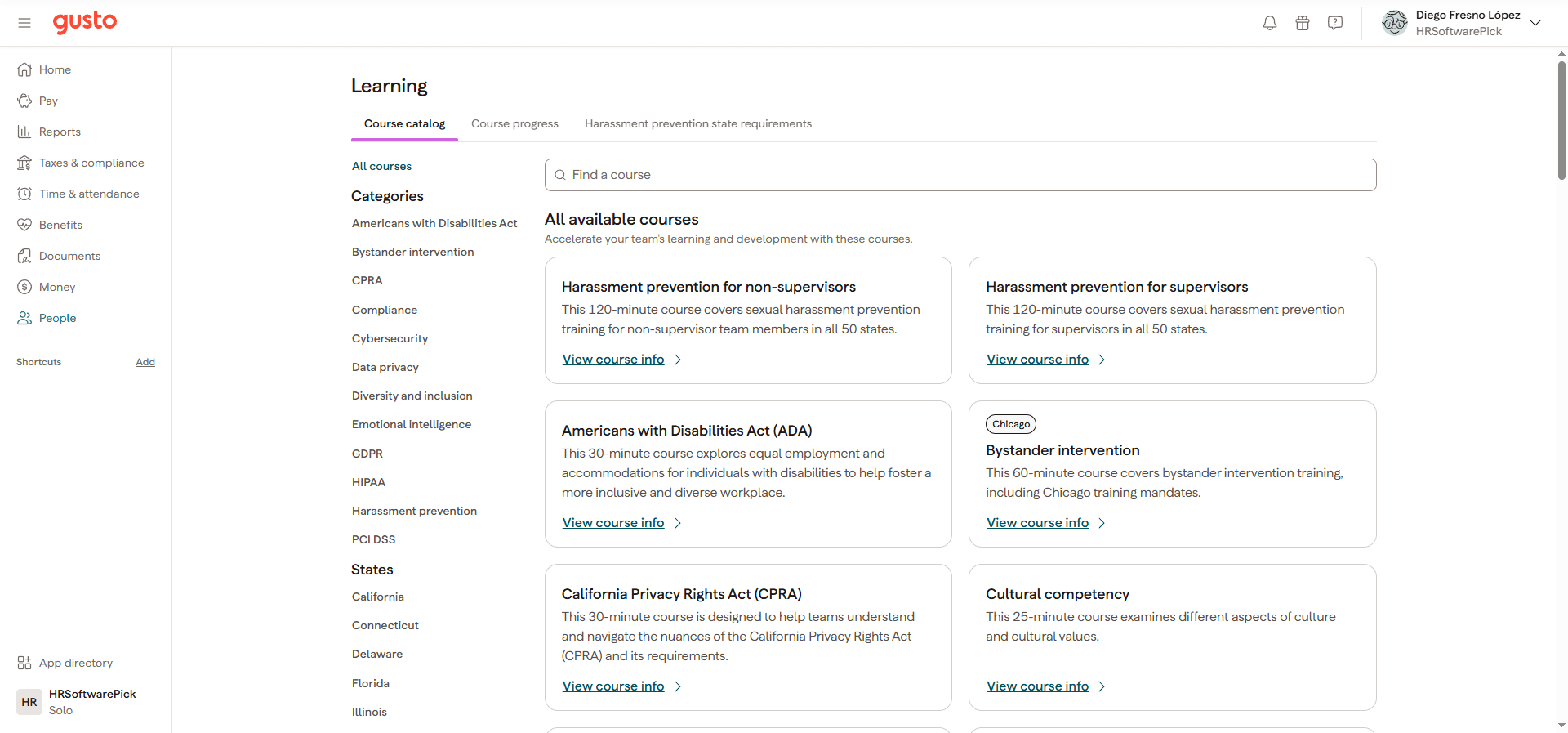
Gusto includes a built-in Learning Management System with 30+ pre-built compliance courses: a feature that most users do not know exists. The course catalog covers categories that US employers are legally required to provide in many states: harassment prevention for non-supervisors (120 minutes, all 50 states) and for supervisors (120 minutes), Americans with Disabilities Act (30 minutes), HIPAA for business associates and covered entities (45–65 minutes), GDPR (35 minutes), CPRA (30 minutes), cybersecurity (30 minutes), data privacy (35 minutes), PCI DSS (20 minutes), diversity and inclusion, unconscious bias, and more. Crucially, Gusto includes state-specific variants: California, Connecticut, Delaware, Florida, Illinois, Maine, New York, Texas, and Washington each have their own tailored harassment prevention courses that meet those states' specific legal requirements. Employers can track completion (Course progress tab) and see state-specific training mandates. This replaces what many companies pay separately to providers like Traliant: and Gusto even offers Traliant as an integration with a discount for additional specialized training.
Time Tracking and PTO
Time tracking in Gusto is available as a standalone add-on called Time and Attendance Plus ($6/person/month, currently free through end of month as a promotional offer) or included in the Plus and Premium plans. Employees clock in and out via web browser or the Gusto mobile app. Managers review and approve timesheets, and approved hours flow directly into the next payroll calculation: no manual data entry or CSV imports. The PTO system handles accrual rules (monthly, on hire date, or annual lump sum), carryover caps, blackout periods, and employee-initiated requests with manager approval. Overtime calculations are automatic and state-aware: California's daily overtime threshold, Alaska's rules, and federal FLSA standards are applied correctly for each employee's location. One gap: there is no built-in shift scheduling tool for hourly teams. For restaurants, retail, or any business scheduling shifts across multiple workers, a dedicated tool like Homebase (which integrates natively with Gusto) or When I Work is still needed.
Integrations
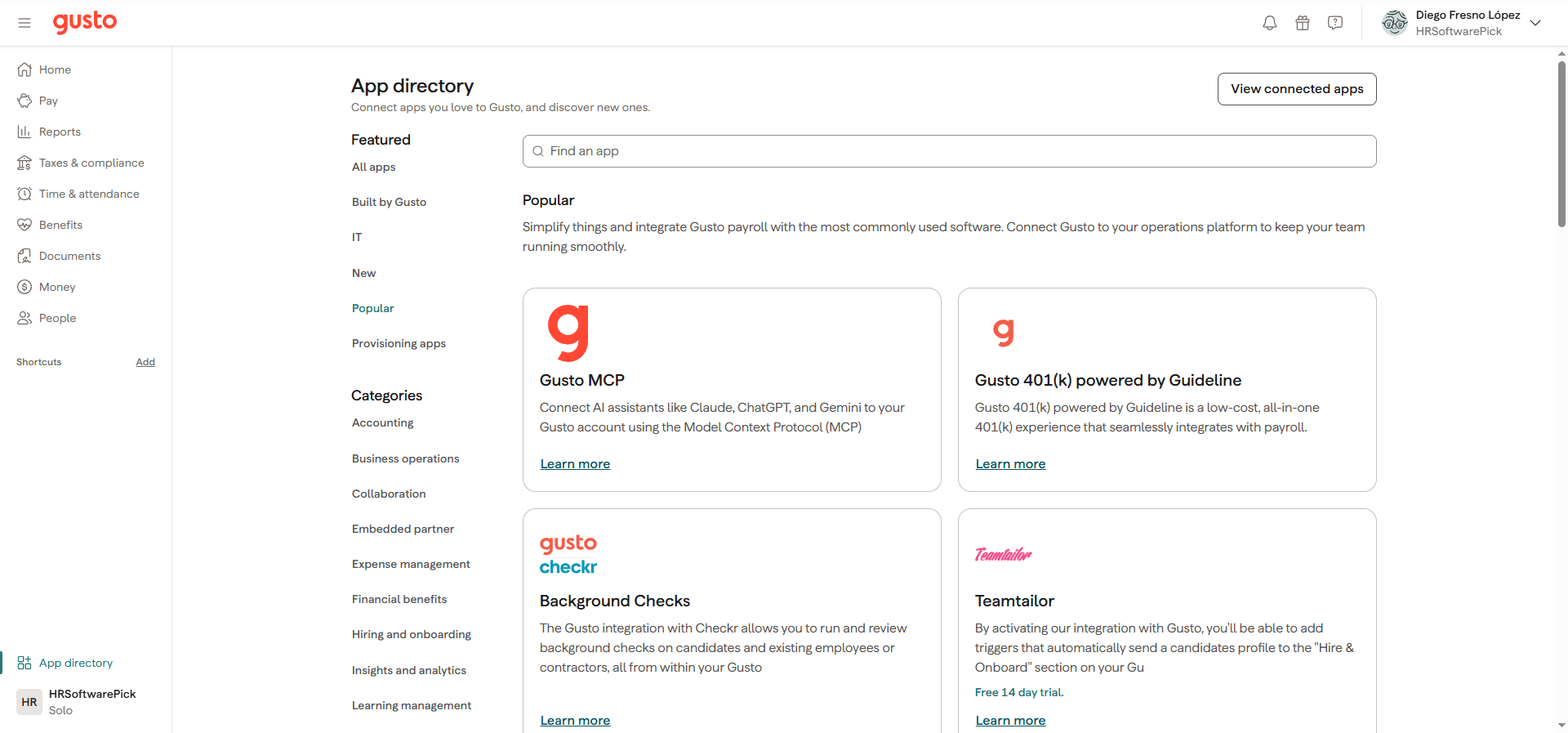
Gusto's app directory lists 150+ integrations organized across 15 categories: Accounting, Business operations, Collaboration, Expense management, Financial benefits, Hiring and onboarding, Insights and analytics, Learning management, Legal and compliance, Performance management, Point of sale, Rewards and recognition, Tax preparation, and Time tracking. The most-used integrations are QuickBooks Online and Xero for accounting (payroll journal entries sync automatically after every pay run), Slack for payroll notifications, and Google Workspace and Microsoft 365 for team provisioning. Gusto also connects to Salesforce, Dropbox, Expensify, FreshBooks (with 3 months 50% off), Clover POS, and Homebase. For background checks, Checkr is embedded natively. A standout addition: Gusto MCP connects AI assistants including Claude, ChatGPT, and Gemini directly to your Gusto account via the Model Context Protocol, enabling natural-language payroll queries. The Gusto API is open for custom integrations. The main gap compared to Rippling: Gusto does not have native IT device management, Okta, or Active Directory integrations.
Pricing
- ✓Domestic and global contractor payments
- ✓1099-NEC filing at year-end
- ✓Contractor self-onboarding and W-9 collection
- ✓No base fee (limited-time offer)
- ✓Full-service single-state payroll
- ✓Automatic federal and state tax filing
- ✓S Corp Hub: reasonable salary guidance and compliance
- ✓Solo 401(k) integration
- ✓Domestic and global contractor payments
- ✓Payroll on AutoPilot
- ✓Basic PTO policies and holiday pay
- ✓24/7 Help Center and basic support
- ✓Full-service payroll (unlimited runs)
- ✓Automatic federal and state tax filing
- ✓W-2 and 1099-NEC forms included
- ✓Employee self-service portal
- ✓Domestic and global contractor payments
- ✓Basic PTO policies
- ✓Document storage
- ✓Everything in Simple
- ✓Multi-state payroll
- ✓Shift scheduling
- ✓Performance reviews, 360 feedback, goal tracking
- ✓Team insights surveys
- ✓HR resource center
- ✓Priority support
- ✓Everything in Plus
- ✓Dedicated HR advisor
- ✓Compliance alerts
- ✓Workforce analytics and reporting
- ✓Certified HR support line
Prices verified September 2026. Check the tool's official site for current rates.
Top Integrations
Who GustoIs (and Isn't) For
- •US-based businesses with 1–100 employees that want full-service payroll without an accountant
- •Solo owners and single-member LLCs that need S corp salary tools and Solo 401(k)
- •Companies offering benefits for the first time (health, dental, 401k) without a broker
- •Businesses using QuickBooks Online or Xero that want automatic accounting sync
- •Employers in regulated states (CA, NY, IL) that need compliant harassment prevention training
- •Remote US teams with employees in multiple states needing multi-state payroll
- •Companies with employees outside the US (US employees only; global contractors are supported)
- •Businesses with complex hourly shift scheduling needs (restaurants, retail chains)
- •Large enterprises (200+ employees) that need advanced HRIS analytics and dedicated CSMs
- •Teams that need formal performance reviews, 360 feedback, or goal tracking without paying for Plus ($80+/mo)
- •Companies that need native IT device management or identity access management (use Rippling)
Frequently Asked Questions
Yes. Gusto is purpose-built for small businesses with 1–100 US employees. Billing starts only after your first payroll run (no time pressure, no credit card required to set up), pricing is transparent ($49/mo + $6/person on Simple and Solo), and there is no minimum headcount or annual contract. The Solo plan adds S corp salary guidance and Solo 401(k) for LLC owners at the same $49/mo base price. Not a good fit for companies with international employees or complex shift scheduling needs.